Avocado Connect

Your OS is managed, patched, and compliant. Your application layer is independent. Update models, pipelines, and configs on your schedule without touching firmware. Your engineers build product, not infrastructure.

Avocado Connect is the fleet management and device operations platform for Avocado OS. It handles OTA updates, remote access, device monitoring, and compliance tracking — so the operating system you built with Avocado OS stays healthy, current, and auditable once it's deployed to the field.

Free developer accountSign up →
Getting Started

Avocado Connect works with any Avocado OS device. The connection is established during provisioning — when you run avocado provision, the device is enrolled with a unique identity certificate and begins reporting to Avocado Connect automatically.

  1. Provision your deviceavocado provision handles device enrollment alongside image flashing and key provisioning. No separate registration step.
  2. Access the console — Avocado Connect provides a web console for fleet visibility, update management, and remote access.
  3. Deploy your first update — Push an extension update to a single device to verify the pipeline end-to-end before rolling out to the fleet.

Launchpad

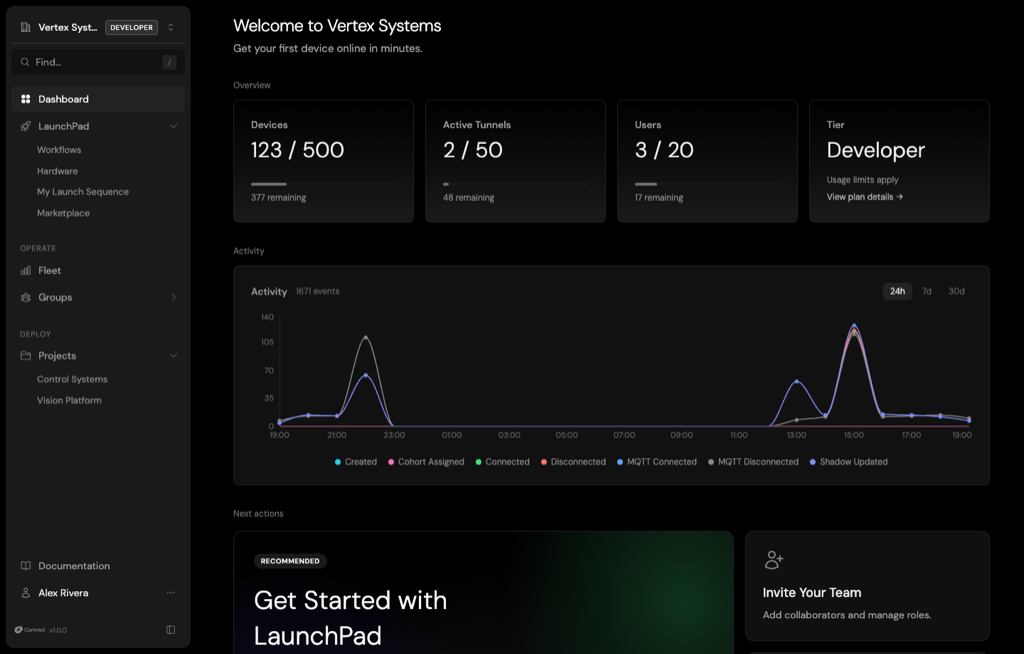
Launchpad is the developer-facing entry point for Avocado Connect. It provides quick access to your projects, devices, and recent activity — a single view of what's deployed, what's pending, and what needs attention.

  • Project overview — See all your Avocado OS projects, their target hardware, and active device counts
  • Recent activity — Deployments, device enrollments, update completions, and any alerts
  • Quick actions — Jump to a specific device, start a tunnel, or create a new deployment

Fleet

Whether it's 10 devices on a pilot line or 5,000 across a continent, you know what's running, where, and whether it's healthy.

Fleet management in Avocado Connect gives you visibility and control across every device running Avocado OS:

  • Device inventory — Hardware target, OS version, extension versions, last check-in, and health status for every device in your fleet
  • Cohorts — Group devices by hardware revision, deployment stage, region, customer, or any custom attribute. Target updates and policies to specific cohorts rather than the entire fleet.
  • Remote diagnostics — View device logs, system state, and extension status without physical access. Identify issues before they become outages.
  • Health monitoring — Track boot success rates, update completion rates, and connectivity patterns. Spot trends across the fleet — not just individual device failures.

Tunnels

Secure remote access to deployed devices without exposing ports or managing VPNs.

Tunnels create encrypted, authenticated connections between your development machine and a deployed device through Avocado Connect's relay infrastructure. This means you can SSH into a device behind a NAT, firewall, or cellular connection without any inbound port configuration on the device.

  • On-demand access — Open a tunnel to any connected device from the console or CLI
  • Encrypted end-to-end — All tunnel traffic is encrypted using the device's identity certificate
  • No network configuration — Devices initiate outbound connections to Avocado Connect. No static IPs, port forwarding, or VPN infrastructure required.
  • Audit logged — Every tunnel session is recorded: who connected, when, and for how long

OTA

Delta compression, A/B partitions with automatic rollback, staged rollouts, bandwidth controls for constrained networks, power-loss resilience. If something goes wrong, every device rolls back automatically.

Avocado Connect orchestrates over-the-air updates across your fleet, building on top of the atomic update architecture built into Avocado OS:

  • Staged rollouts — Deploy to a percentage of the fleet, monitor for issues, then expand. Start with 1%, watch the health metrics, then go to 10%, 50%, 100%.
  • Cohort targeting — Push updates to specific device groups. Update your factory pilot line without touching production devices. Roll out a new model to devices in one region first.
  • Delta updates — For extension and model updates, only the changed bytes are transmitted. Critical for devices on metered cellular or satellite connections where bandwidth has a direct cost.
  • Bandwidth controls — Rate-limit update downloads to avoid saturating constrained network links. Schedule updates for off-peak hours.
  • Complete audit trail — Every deployment is recorded: who initiated it, what was deployed, when, to which devices, and the outcome. Answer the security questionnaire before it arrives.