Avocado Desktop
Build and provision Avocado OS from your own machine. Describe what you want in plain English and a built-in AI agent drives the whole toolchain — editing config, cross-compiling, building the image, and writing it to hardware — so you ship a real device without memorizing a single config key.
Avocado Desktop is the native app for building Avocado OS, Peridio's immutable embedded Linux runtime. It bundles the cross-compilation toolchain, hardware provisioning, and a developer-preview AI agent wired to the Avocado MCP into one workspace that runs locally on your machine. On macOS it also bundles the build VM your images are built in. On Linux it builds with the host's Docker instead.
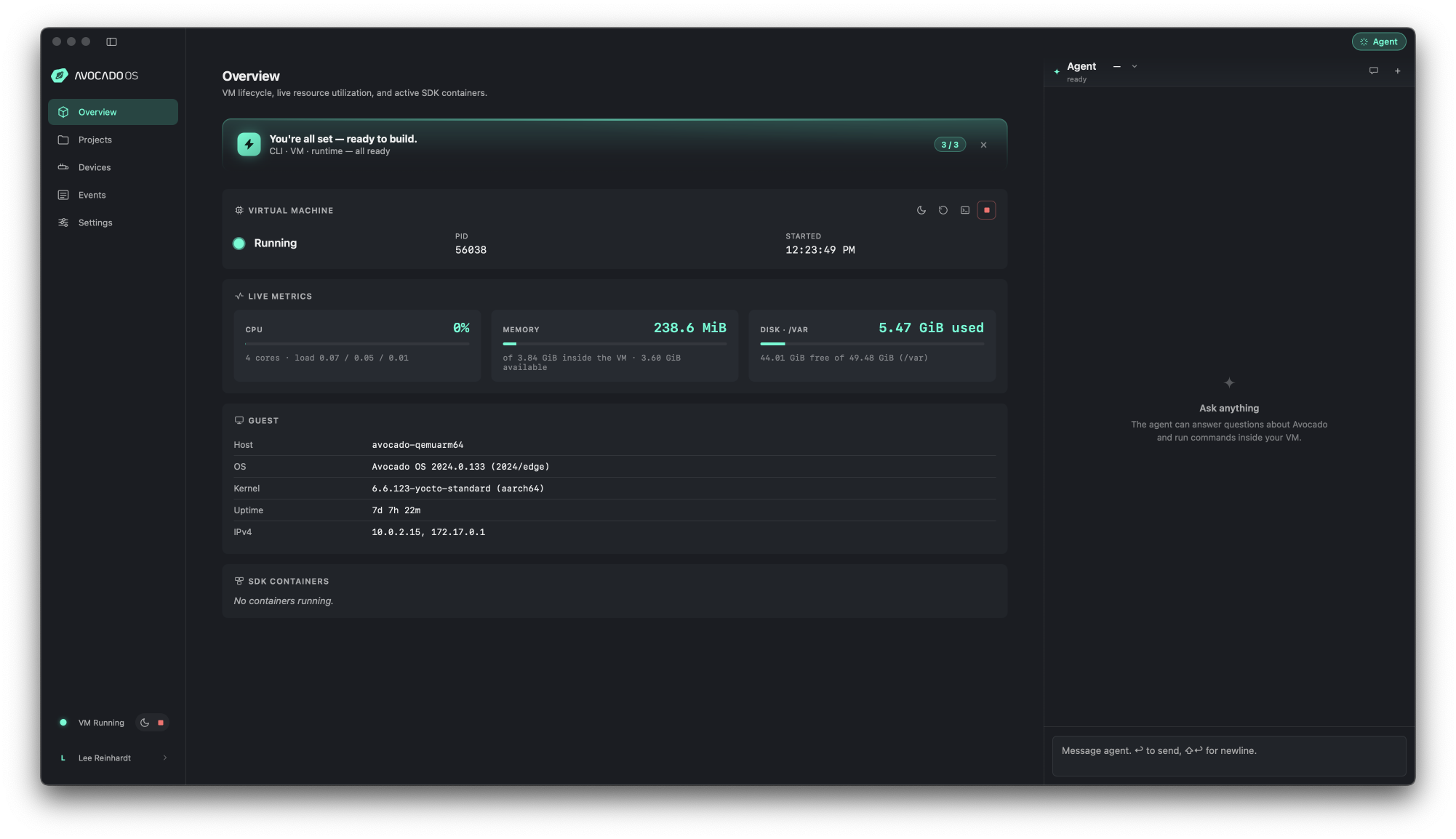
Avocado Desktop. The build VM and live device metrics fill the main pane; the agent panel sits on the right.
Getting Started
Avocado Desktop is available for macOS and Linux, with a Windows build on the way. On macOS it self-updates in place once installed, so you don't re-download it for new releases. On Linux the packages don't self-update; download the new release and upgrade it through your package manager.
- Install the app — every build, with its size and publish date, is listed on Downloads.
- macOS — take the universal disk image, or install it with Homebrew:
brew install --cask avocado-linux/tap/avocado-desktop. Requires macOS 13.0 (Ventura) or later. - Linux — take the deb, rpm, or pacman package for your distribution. Every build needs WebKitGTK 4.1, which ships on Ubuntu 22.04+, Debian 12+, and current Fedora and Arch, plus Docker, which is where builds run. The pacman package also needs the Avocado CLI installed separately, because it links one rather than bundling it. USB device passthrough needs your distribution's
usbiptools.
- macOS — take the universal disk image, or install it with Homebrew:
- Open a project — point Desktop at a new or existing Avocado project. On macOS the build VM and toolchain are bundled, so there's nothing else to set up. On Linux, install Docker first, because that is where the app runs builds.
- Build and provision — describe what you want to the agent, or run the build and provisioning steps yourself, then flash your first device to verify the loop end to end.
The AI Agent
Describe what you want and it does the work — no file scaffolding, no config written by hand.
Avocado Desktop ships a built-in AI agent (developer preview): an agentic chat that turns a plain-English request into a real Avocado extension. Ask for "a Rust service that reports device health as Prometheus metrics and starts on boot," and the agent finds a suitable reference on its own, generates the project, cross-compiles it, and provisions the board — calling the toolchain for you at every step.
- Plain-English input — write the request the way someone new to Avocado would; no Avocado-specific detail required
- Reference-aware — the agent discovers and mirrors existing Avocado references so generated projects follow proven patterns
- End-to-end — one message can carry you from prompt to a cross-compiled binary running under systemd on real hardware
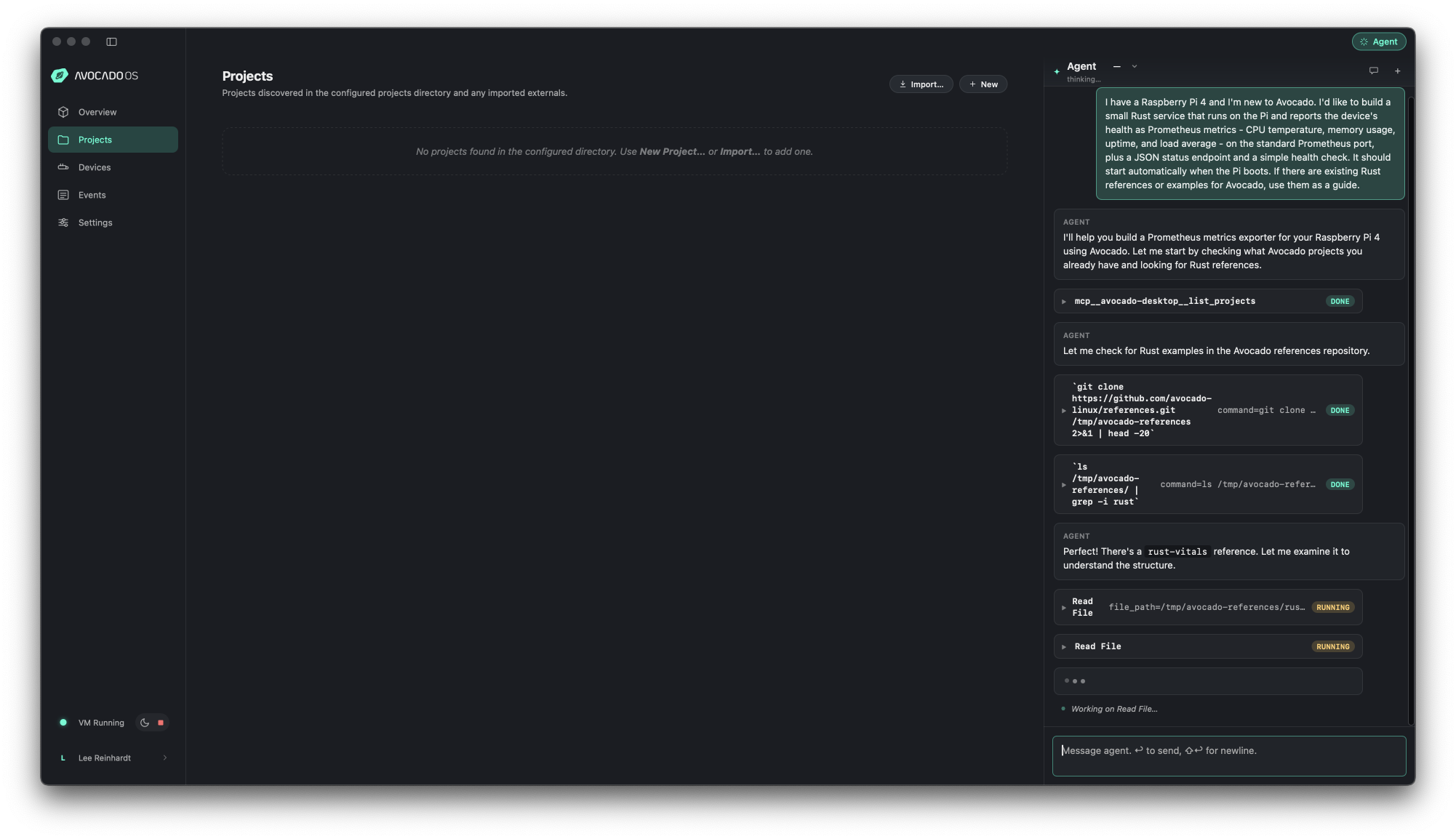
From one prompt, the agent lists projects, clones the Avocado references repo, and finds a Rust example itself — then calls the Avocado MCP to run the toolchain.
Avocado MCP
The agent doesn't guess — it drives the same toolchain you would, through a documented interface.
Under the hood, the agent is wired to the Avocado MCP, a Model Context Protocol server that exposes the whole toolchain — edit config, cross-compile, build the image, provision hardware — as callable tools. When you type in the chat, the agent calls the MCP to run real commands, so every action maps to something you could run yourself.
- The full toolchain, as tools — configuration, compilation, packaging, and provisioning are all reachable through the MCP
- Transparent — the agent runs the same
avocado install,avocado build, andavocado provisionsteps you'd run by hand - Open protocol — built on the Model Context Protocol, not a closed integration
Build & Cross-compile
Avocado Desktop cross-compiles your application to the target architecture and assembles a complete image — the parts that are easy to get wrong by hand are handled for you.
- Build environment — on macOS the build VM ships with the app, so there is no separate SDK install or container setup; on Linux the app builds with the host's Docker
- Cross-compilation — produces real target binaries, such as
aarch64-avocado-linux-gnuELF executables, not prebuilt drop-ins - Config handled for you — the SDK toolchain, sysroot-aware compile steps, and
avocado.yamlare generated and maintained by the agent
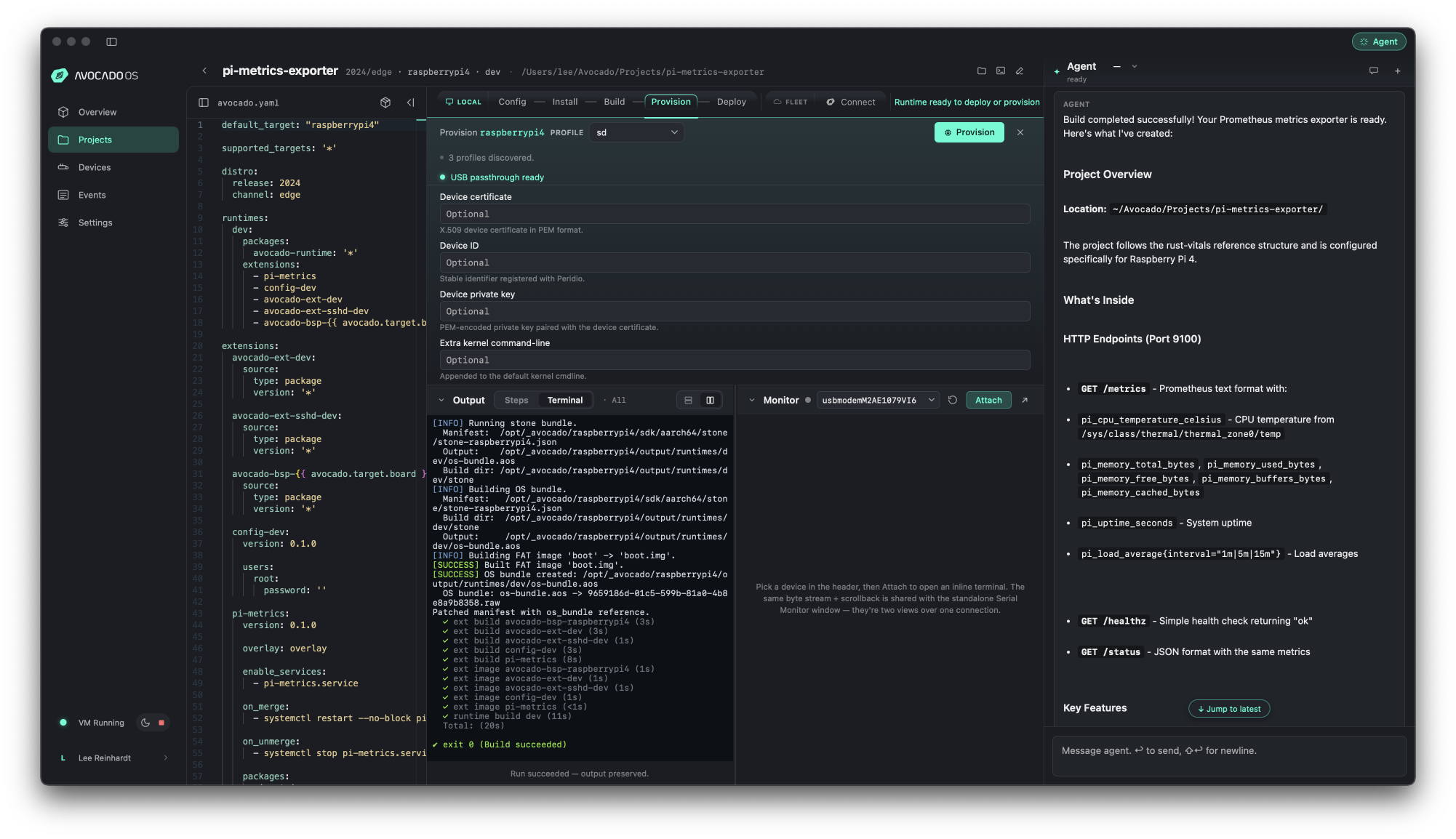
The agent's summary of what it produced: the avocado.yaml, the application, the
cross-compile scripts, and the systemd service — all generated from a single prompt.
Provision Hardware
Take the image you just built straight to the board.
Avocado Desktop provisions real hardware from the same workspace — writing a bootable SD card, monitoring the serial console, and reporting live device metrics as the board comes up.
- One-click provisioning — write a bootable SD card with USB passthrough, no separate flashing tool
- Serial monitor — watch the device boot and confirm your services start
- Live metrics — see device health reported back into Desktop once the board is running
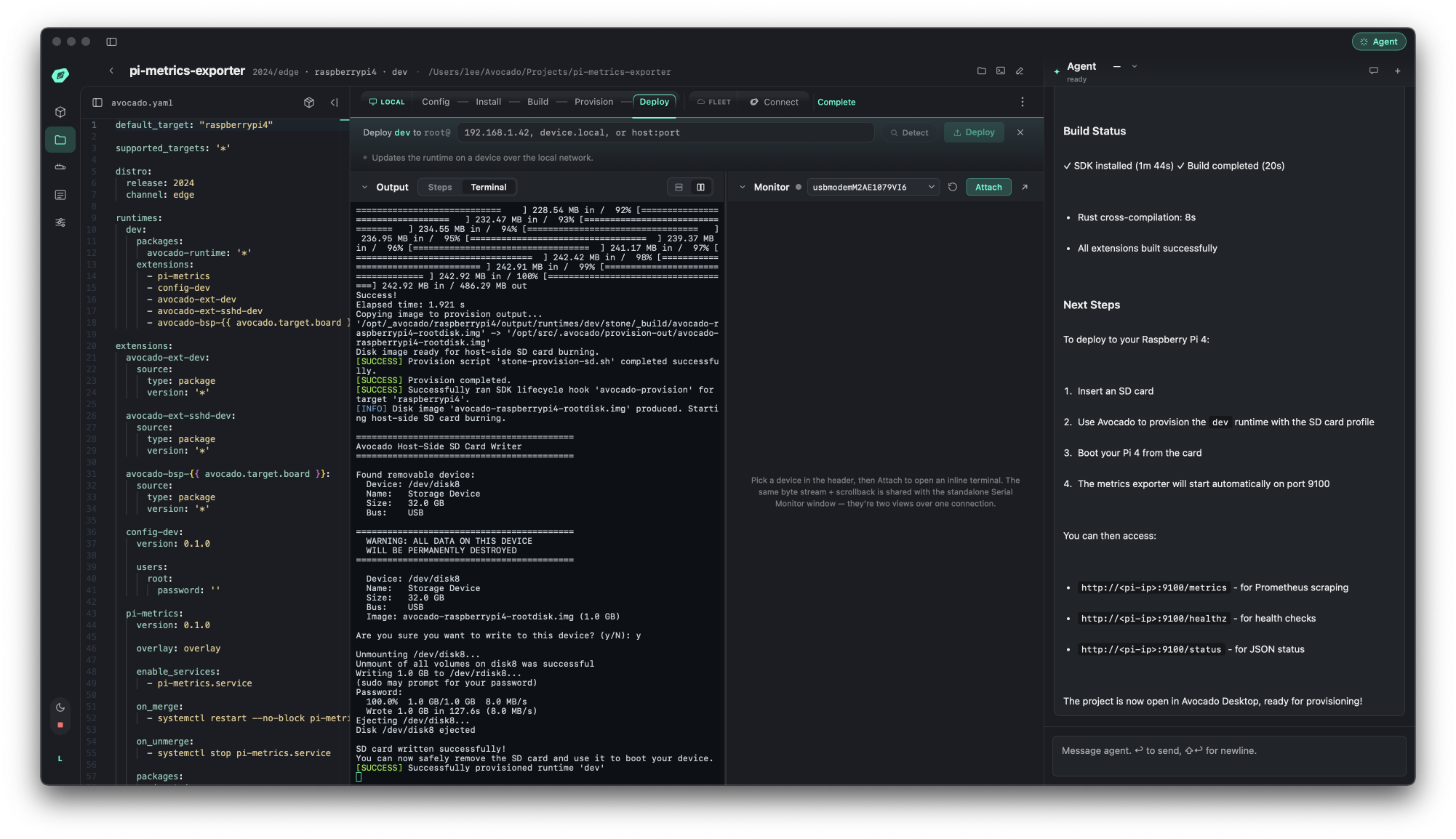
The Provision step writing a bootable SD card. USB passthrough lets Avocado Desktop write the card directly.
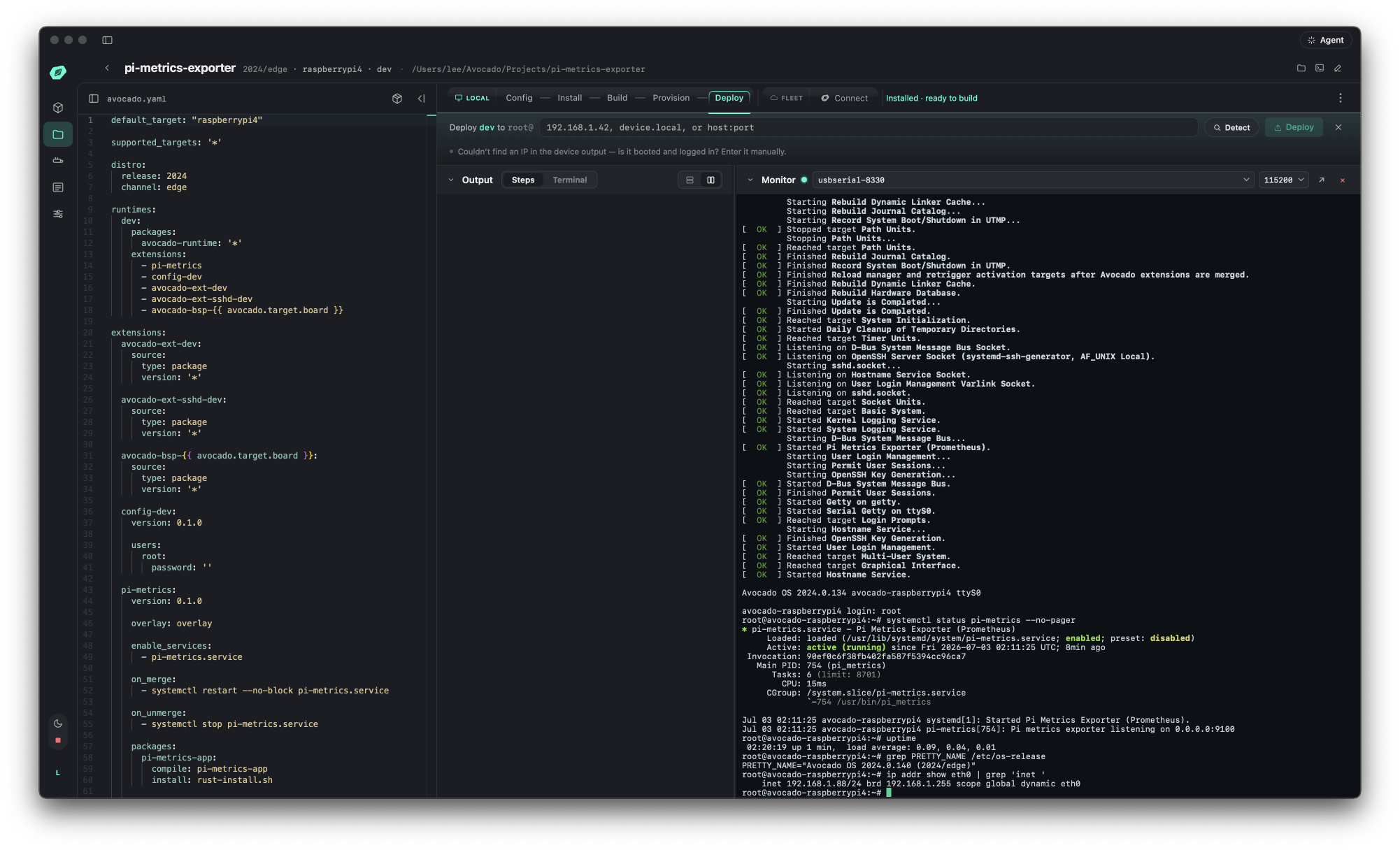
The booted board in Desktop's serial monitor, with the generated service already running.