Projects
A project is the container for everything you deploy. Runtimes, cohorts, deployments, and provisioning all live inside a project, giving you a clean boundary between separate products, hardware lines, or customers. One organization can run many projects side by side without their work ever crossing over.
Organize projects however your fleet is structured: one per product, per hardware platform, or per customer. Each keeps its own runtimes, device cohorts, deployment history, and claim tokens.
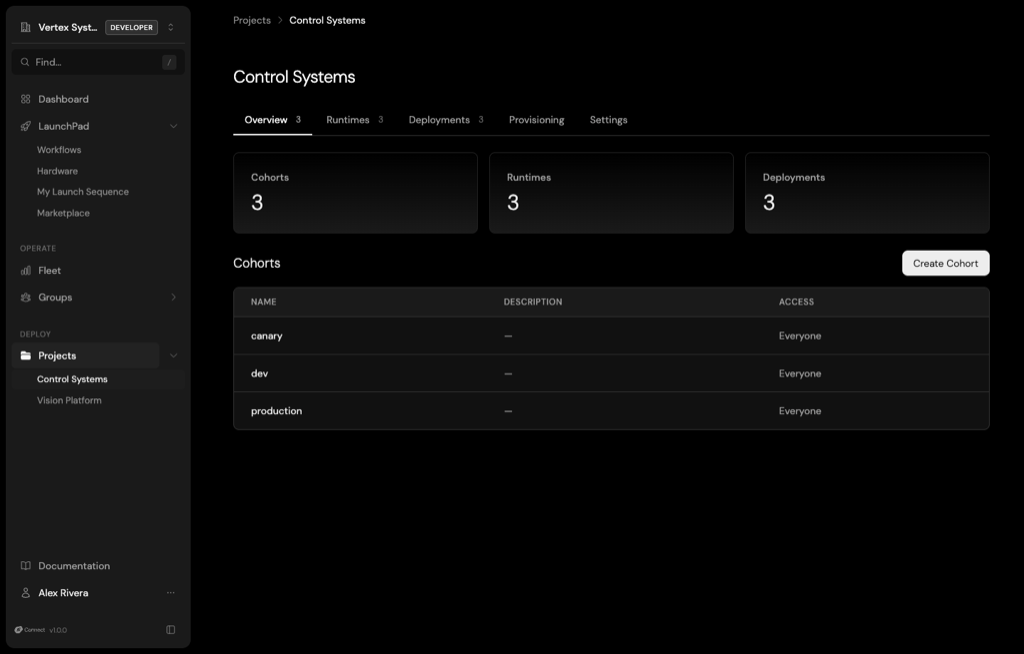
Everything you deploy hangs off a project:
- Runtimes: The versioned software artifacts you publish and deploy. See Runtimes.
- Cohorts: Named groups of devices you target updates to, for example canary before production. Promoting a release through cohorts is how you stage a rollout. See Cohorts.
- Deployments: The record of what shipped to which cohort, with live convergence tracking and a full audit trail. See Deployments.
- Provisioning: Claim tokens that authorize new devices to enroll into the project, scoped to a cohort and capped by use. See Claim tokens.
- Settings: Project name, description, and access.
When to create a project
Create a project for each distinct piece of software you ship. A smart thermostat and a door sensor belong in separate projects even when the same organization builds both, because each has its own runtimes, its own devices, and its own release cadence. Projects keep those runtimes, cohorts, and deployments isolated from each other.
Create a project from Projects → Create Project in the console, or with avocado connect projects create.
How it fits together
A project in Connect is the web-side counterpart to the avocado.yaml project you work with locally. The pieces connect in four steps:
- Project: Create a project for the product you ship. Running
avocado connect initin your local project links it to this Connect project. - Cohorts: Group the devices that should receive the same updates, for example
beta-testersandproduction. Devices join a cohort when they enroll with a claim token scoped to it. - Runtimes: Upload the runtime you built locally with
avocado connect upload. Each upload becomes a versioned runtime in the project. - Deployments: Pair a runtime with a cohort to ship it over the air. Connect tracks how many devices in the cohort have received and applied the update.
The devices you provisioned become members of a cohort, the image you built becomes a runtime, and a deployment ties the two together. See the First OTA mission for the full sequence from the command line.
Access control
Projects are shared with your whole organization by default. When you need to wall off a product line or a customer deployment, restrict a project to specific members or groups. Access applies to everything inside the project, so the right people see the right fleets and nothing more. See Access Control.
For the project endpoints, see the Projects & Cohorts API.