Fleet
Whether it's 10 devices on a pilot line or 5,000 across a continent, you know what's running, where, and whether it's healthy. Fleet management in Avocado Connect gives you visibility and control across every device running Avocado OS.
- Device inventory: See every device at a glance: its hardware target (surfaced as a tag), runtime version, last check-in, and health status.
- Cohorts and tags: Group devices by hardware revision, deployment stage, region, customer, or any attribute, then target updates to specific cohorts rather than the whole fleet. Tags give you a complementary targeting primitive: filter and deploy by tag to reach exactly the devices you mean.
- Remote diagnostics: Inspect system state through each device's reported state (shadow) without a site visit. Live log viewing is coming soon.
- Health monitoring: Track connectivity patterns, update completion, and fleet-wide trends, so you catch systemic issues early rather than reacting to individual failures.
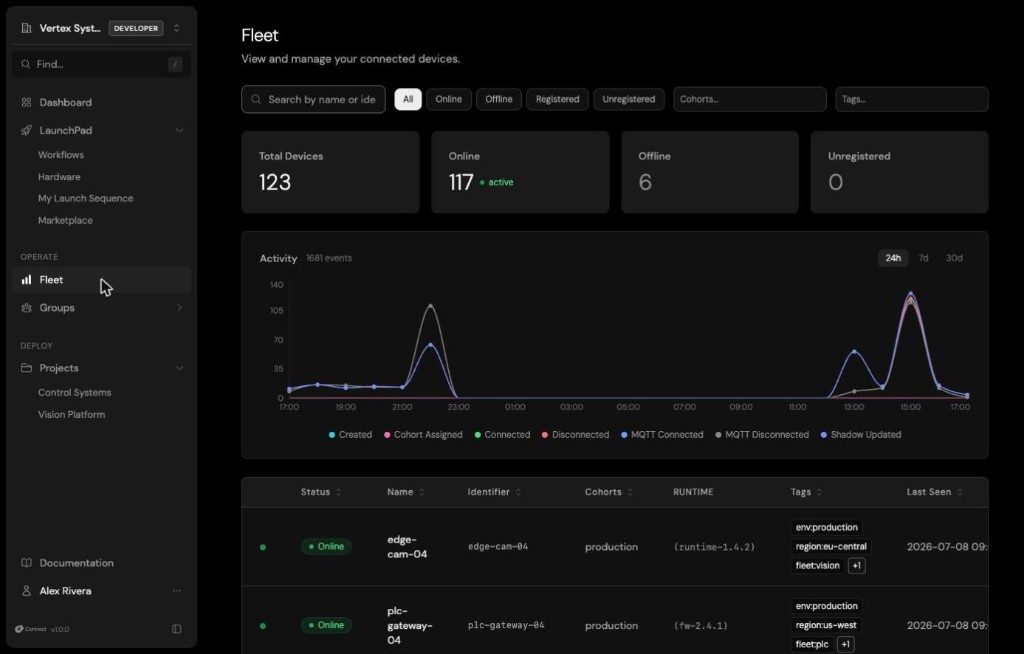
Fleet is organization-wide: it lists every device across every project you can access in one place. Search by name or identifier and filter by status, project, cohort, or tag to find a device, and use the summary counts to see how many devices are online at a glance. Open Fleet to check device health before a rollout, track down a specific device for debugging, or confirm the fleet is healthy after a deployment.
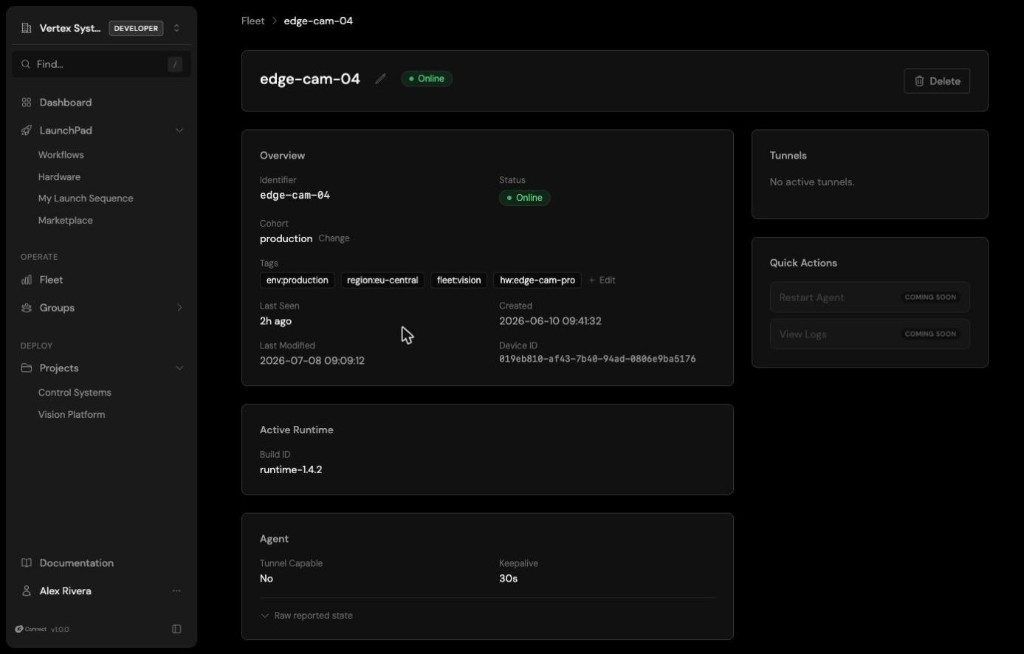
Select any device to open its detail view: identity and status, cohort and tag assignments, active runtime, agent capabilities, and its raw reported state (shadow), giving you everything you need to diagnose a device without a site visit. The detail view is also where you change the device's cohort and, while the device is online, open a remote access tunnel to it.