Runtimes
A runtime is the versioned software artifact you deploy. You build it locally from your avocado.yaml project with the Avocado CLI, upload it to a project in Avocado Connect, and deploy it to cohorts. Each runtime bundles your extensions, overlays, and services into one signed image, so what you tested on the bench is exactly what ships to the field.
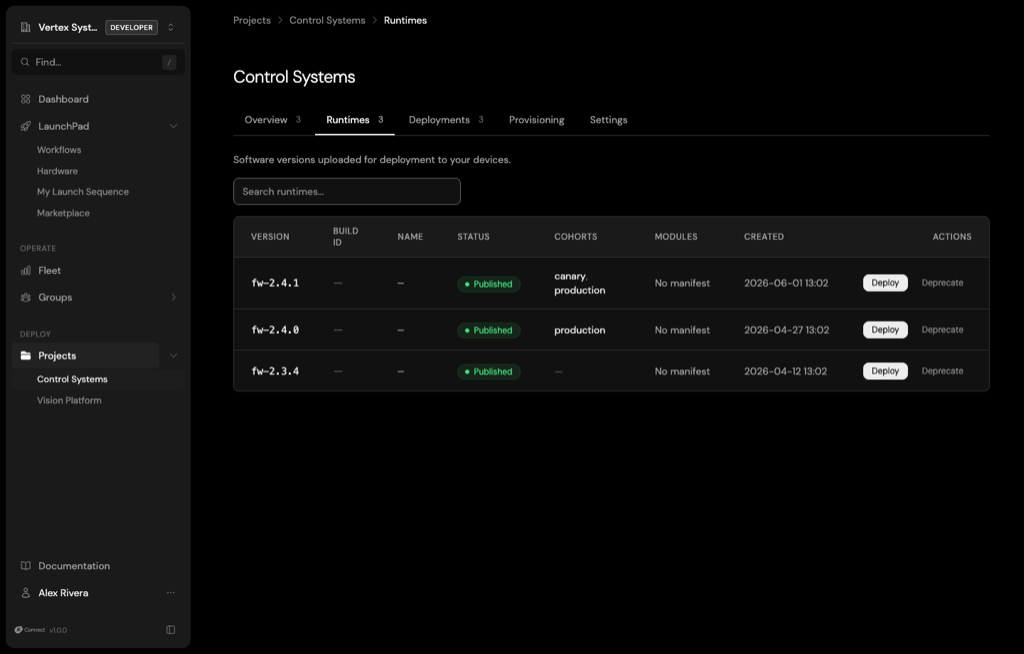
Runtime lifecycle
Every runtime has a status that tracks where it is in its lifecycle:
| Status | Meaning |
|---|---|
awaiting_upload | The runtime record exists, but its artifacts haven't finished uploading. |
draft | The upload is complete. Review it before you make it available for deployment. |
published | The runtime is available to deploy to cohorts. |
deprecated | The runtime is retired. The console no longer offers it for new deployments. |
Each runtime records its extensions, build metadata, and checksums. A published runtime is immutable: to change what ships, upload a new version rather than editing an existing one. Status only moves forward, from draft to published to deprecated, and you can delete a runtime only while it's still a draft.
Upload a runtime
Build your runtime, link the project to Connect once, then upload it. dev is the runtime name from your avocado.yaml.
# Sign in and link this project to a Connect organization and project
avocado connect auth login
avocado connect init

# Build the runtime, then upload and publish it in one step
avocado build
avocado connect upload dev --version 1.2.0 --publish
Without --publish, the upload lands as a draft. Publish it later from Project → Runtimes in the console. avocado connect init writes connect.org and connect.project to avocado.yaml. To target a different project, pass --project <PROJECT_ID>.
To deploy right after the upload, add --deploy-cohort <COHORT_ID> (and --deploy-activate to skip the draft deployment). See Deployments.
List runtimes
List the runtimes uploaded to the project:
avocado connect runtimes list
avocado runtime list (without connect) is a different command: it lists the runtimes defined locally in avocado.yaml, not the ones uploaded to Connect.
Signing
Every runtime is signed, and devices verify the signature before they install anything. See Code Signing.
Learn more
- First OTA mission: Link a project, upload a runtime, and deploy it end to end.
- Runtimes API: Endpoints for listing, creating, and updating runtimes.
avocado connect uploadin the CLI reference.