NXP FRDM i.MX 91
Low-power single Cortex-A55 platform with EdgeLock secure enclave, Wi-Fi 6, and dual Gigabit Ethernet for secure IoT and industrial edge applications.
imx91-frdm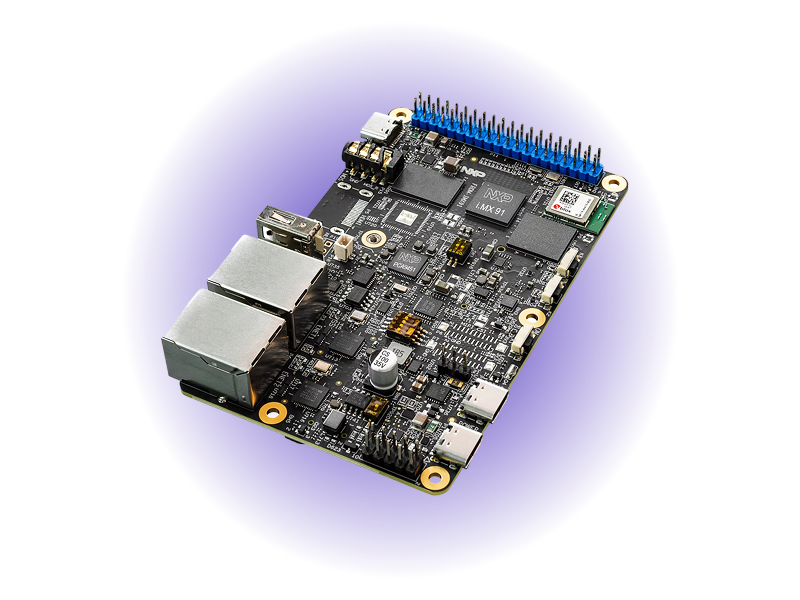
- 1.4 GHzCortex-A55
- 1GBLPDDR4 Memory
- Wi-Fi 6 + BLE 5.4Wireless Connectivity
- 8GB eMMC 5.1On-Board Storage
- 2x GbE + TSNIndustrial Networking
- EdgeLockSecure Enclave
Overview
The NXP FRDM i.MX 91 development board, paired with Avocado OS, delivers a production-ready low-power Linux platform for IoT and industrial edge applications. Built around the i.MX 91 processor with a single Cortex-A55 core at 1.4GHz, this board strikes the balance between compute capability and power efficiency that edge devices demand. With onboard Wi-Fi 6, Bluetooth LE 5.4, dual Gigabit Ethernet (including TSN support), and NXP's EdgeLock secure enclave, teams can build secure, connected devices without months of BSP work. Avocado OS provides an immutable Yocto-based Linux with atomic OTA updates, so your devices stay secure and maintainable across their entire lifecycle.
Specifications
| Specification | Value | Notes |
|---|---|---|
| Processor | Cortex-A55 @ 1.4GHz | Single-core, 64-bit ARMv8.2-A |
| Memory | 1GB LPDDR4 | 16-bit interface |
| Storage | 8GB eMMC 5.1 | MicroSD 3.0 slot available |
| Wireless | Wi-Fi 6 + BLE 5.4 / 802.15.4 | Onboard module, optional M.2 Key-E |
| Ethernet | 2x Gigabit Ethernet | Port 0: ENET, Port 1: TSN |
| USB | USB 2.0 Type-C, USB 2.0 Type-A | Additional Type-C for debug |
| Expansion | 40-pin (2x20) I/O header | CAN, ADC, I2C/I3C via 2x5 pin header |
| Security | EdgeLock Secure Enclave | Secure boot, crypto, tamper detection |
Use Cases
IoT Gateways
Aggregate sensor data with dual Ethernet and wireless connectivity. Low power consumption enables solar-powered and battery-backed deployments.
Industrial Sensors
CAN bus and ADC interfaces connect directly to industrial equipment. EdgeLock security ensures data integrity from sensor to cloud.
Smart Building Controllers
Wi-Fi 6 and 802.15.4 support for Thread/Zigbee networks. Compact form factor fits into panel-mount enclosures.
Challenges and Solutions
| Challenge | Solution |
|---|---|
| Low-power Linux BSP setup takes months | Pre-integrated Avocado OS BSP |
| Security configuration for IoT devices | EdgeLock secure enclave pre-configured |
| Maintaining OTA for constrained devices | Atomic A/B updates with automatic rollback |
| Multi-protocol connectivity complexity | Wi-Fi 6, BLE, 802.15.4, Ethernet out of the box |
| Long-term OS maintenance burden | Avocado OS long-term support and CVE patching |
Key Features
Low-Power Edge Computing
Single Cortex-A55 core delivers Linux-capable compute at a fraction of the power budget of multi-core SoCs. Ideal for always-on edge devices.
EdgeLock Security
Hardware root of trust with secure boot, encrypted storage, and runtime attestation. Meet compliance requirements without custom security engineering.
Dual Ethernet with TSN
Two Gigabit Ethernet ports with Time-Sensitive Networking support on Port 1. Bridge IT and OT networks with deterministic latency.
Production Hardening
Read-only root filesystem with atomic OTA updates. No SD card corruption, no failed updates, no manual intervention in the field.
Wireless Connectivity
Onboard Wi-Fi 6 and BLE 5.4 with 802.15.4 for Thread/Zigbee. Connect to any wireless ecosystem from a single board.
Rapid Development
Hardware-in-the-loop development with Avocado OS. Edit code locally, test on hardware instantly — no rebuild required.
Security features
| Capability | Status on imx91-frdm |
|---|---|
Encrypted /var | Not declared yet - the machine does not list encrypted-var in its capabilities |
| Signed boot FIT | Not declared yet - this board boots with booti, so there is no FIT to sign |
| Rootfs dm-verity | Hash partitions are staged in the stone manifest, but need the FIT to carry the root hash |
| Extension dm-verity | Built. extensions.<name>.image.verity is carried in the runtime manifest |
| AHAB boot container | Built as a feed feature: EdgeLock authenticates SPL, ATF and U-Boot against SRK fuses |
AHAB is applied when the feed is built rather than from avocado.yaml, because it signs the boot container the ROM loads. Signing does not close the part — an OPEN device boots a signed image without checking it, which is the window to validate in before burning SRK fuses. See Boot signing.
The sibling FRDM i.MX 93 carries the same AHAB wiring plus encrypted /var, verified boot and rootfs verity.
Getting Started
Init, Install, & Build
Follow the Any Supported Target instructions under Getting Started to begin. This target is imx91-frdm. The provisioning specifics are below.
Provision
Build the project and execute the provisioning procedure. This will build the system image and flash it to your target hardware.
If your Linux desktop auto-mounts removable media, disable it first — see Linux Auto-Mounting.
avocado build
avocado provision -r dev --profile sd
Run
After provisioning completes, insert the SD card into your target device and power it on.
The device will boot from the SD card with the provisioned system. The root user is passwordless in the dev runtime used by this guide.