Jetson AGX Orin
Production-grade software for the most powerful edge AI platform. Deploy NVIDIA Jetson AGX Orin fleets from day 1 with deterministic Linux, secure OTA, and fleet management.
jetson-agx-orin-devkit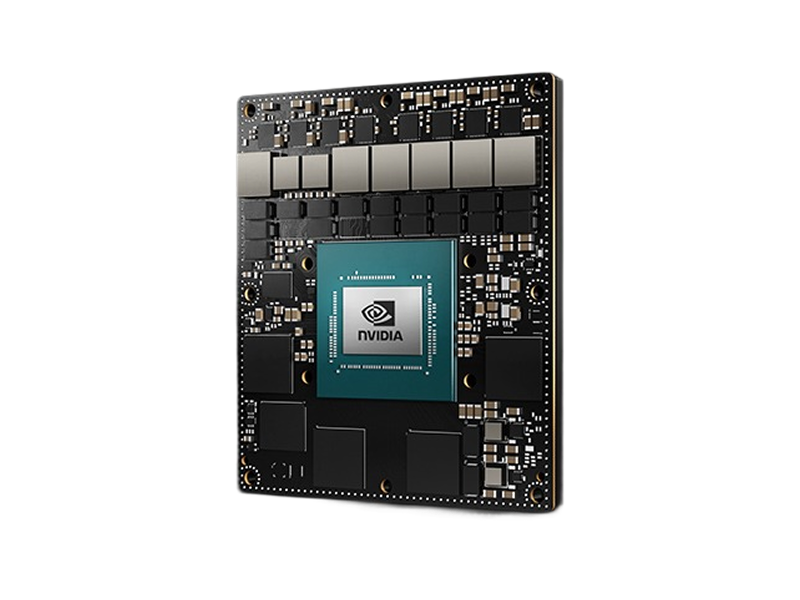
- Day 1Production Ready
- 10+ YearsLong-Term Support
- 275 TOPSAI Performance
- 2048-coreAmpere GPU
- Up to 64GBLPDDR5 Memory
- 12-coreCortex-A78AE CPU
Overview
The NVIDIA Jetson AGX Orin represents the pinnacle of edge AI computing, delivering unprecedented performance with up to 275 TOPS of AI compute in a compact, energy-efficient package. As NVIDIA's flagship edge platform, the AGX Orin combines exceptional processing power with enterprise-grade reliability, making it ideal for the most demanding autonomous systems, industrial AI, and robotics applications. When paired with Avocado Linux and Avocado Connect, this powerhouse platform gains the production-ready software foundation required for mission-critical deployments at scale. Our enterprise Linux distribution, atomic OTA updates, and comprehensive fleet management unlock the AGX Orin's full potential while dramatically reducing time-to-market. From autonomous vehicles and surgical robots to smart city infrastructure and aerospace applications, teams can focus on breakthrough AI innovation while we handle the complex system integration, security, and lifecycle management. The result is a robust, scalable edge AI solution that matches NVIDIA's hardware excellence with enterprise-grade software infrastructure, backed by 10+ years of support and seamless compatibility across the entire Jetson ecosystem.
Specifications
| Specification | Value | Notes |
|---|---|---|
| AI Performance | 275 TOPS | 275 Sparse TOPS, 138 Dense TOPS |
| GPU | 2048-core NVIDIA Ampere GPU | 64 Tensor Cores for maximum inference throughput |
| CPU | 12-core Arm Cortex-A78AE @ 2.2 GHz | Armv8.2 64-bit with advanced safety features |
| Memory | 32GB/64GB LPDDR5 | 204 GB/s bandwidth for complex multi-modal AI |
| Power | 15-60W | Configurable power modes for any deployment scenario |
| Storage | 64GB eUFS + NVMe | High-speed storage for large AI models and datasets |
Use Cases
Autonomous Vehicles
275 TOPS powers full self-driving stacks with real-time sensor fusion, path planning, and decision making for Level 4+ autonomy.
Surgical Robotics
Ultra-low latency AI inference for precision surgical procedures. Real-time computer vision and haptic feedback systems.
Smart City Infrastructure
Process hundreds of camera feeds for traffic optimization, crowd analysis, and emergency response with enterprise reliability.
Challenges and Solutions
| Challenge | Solution |
|---|---|
| Developer kits aren't enterprise-ready | Enterprise-ready OS deployment |
| Complex BSP integration and customization | Pre-validated AGX Orin BSPs |
| Large-scale OTA orchestration complexity | Scalable OTA infrastructure |
| High-availability system requirements | High-availability architecture |
| Multi-tier fleet management at scale | Multi-tier fleet orchestration |
Key Features
Enterprise Deployment
Deploy production-grade Linux on AGX Orin in minutes. Enterprise toolchain reduces complex system integration time.
Maximum Performance
Unleash all 275 TOPS with optimized BSPs. Scale across the entire Jetson family with pin-compatibility.
Enterprise Fleet Management
Manage thousands of AGX Orin devices with advanced targeting, A/B deployments, and comprehensive observability.
High-Availability Architecture
Built for mission-critical systems with redundancy, failover, and recovery mechanisms for 24/7 operations.
Ecosystem Compatibility
Seamless integration across NVIDIA ecosystem (Isaac, DeepStream, Triton) and cloud platforms.
Enterprise Support
10+ years of maintenance with enterprise SLAs. Combined with Jetson's industrial lifecycle for maximum ROI.
Security features
The published Jetson feed builds encrypted /var for every Jetson target; it is opted into per runtime in avocado.yaml, with no distro rebuild.
| Capability | Status |
|---|---|
Encrypted /var | Built. LUKS2 key sealed to the OP-TEE fTPM against PCR 7, with an Argon2id fallback |
| Signed boot FIT | Not applicable - Jetson boots the NVIDIA chain, not a U-Boot FIT |
| Rootfs dm-verity | Not available - Jetson has no U-Boot FIT to carry the root hash, and the stone manifests carry no per-slot hash partitions |
| Extension dm-verity | Built. extensions.<name>.image.verity is manifest-carried, so it works here too |
| Recovery key | Built. Operator-held master, per-unit passphrase enrolled with avocado var-key enroll |
initramfs:
  packages:
    avocado-pkg-initramfs: '*'
    optee-ftpm-init: '*'

runtimes:
  prod:
    var:
      encrypt: true
      hardware: tpm2
      recovery: fleet-var-master
The OP-TEE fTPM that hardware: tpm2 binds to is opt-in on Jetson: the machine definitions do not install it by default. Without optee-ftpm-init in initramfs.packages the initramfs has no TEE supplicant and no persistent fTPM store, so tpm2 fails closed and auto falls back to the Argon2id key. With it, the store is formatted on the first boot and the TPM keeps its identity across reboots. That was checked on a Jetson AGX Orin: the endorsement key and the storage root key were the same after a reboot, and the lockout counter stayed at 0. Sealing /var to the fTPM, and a power cycle while the store is in use, were not part of that check.
The first boot encrypts the flashed /var in place, so seeded content - subvolumes, var_files, primed Docker images - survives. See Encrypted /var.
Getting Started
Init, Install, & Build
Follow the Any Supported Target instructions under Getting Started to begin. This target is jetson-agx-orin-devkit. The provisioning specifics are below.
Provision
Build the project and execute the provisioning procedure. This will build the system image and flash it to your target hardware.
avocado build
avocado provision -r dev --profile tegraflash
Run
Power-cycle the device. It will boot with the provisioned system. The root user is passwordless in the dev runtime used by this guide.
Ready to build? Head to the Jetson AGX Orin DevKit getting started guide.