ICAM-540
Transform your Advantech ICAM-540 from AI development platform to production-grade industrial vision system with enterprise Linux and fleet management.
icam-540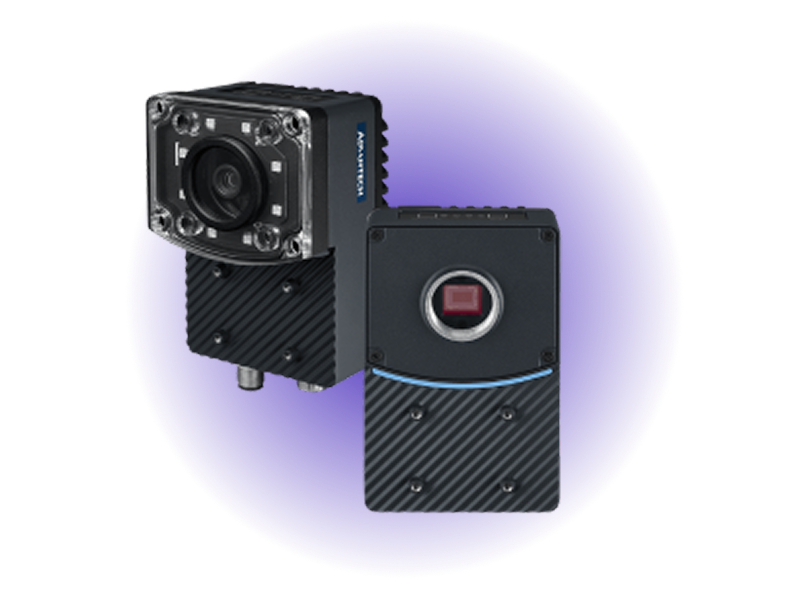
- 100 TOPSAI Performance
- 8MP @ 45fpsSony IMX334 Sensor
- C-MountFlexible Lens Options
- 6x FasterTime to Production
- -20° to 60°CIndustrial Operating Range
- Jetson Orin NXNVIDIA AI Module
Overview
The Advantech ICAM-540, featuring the NVIDIA Jetson Orin NX and powered by Avocado OS, delivers a production-grade smart camera platform ready to ship value in days, not months. Turnkey integration with the underlying Jetson hardware and Triton Inference Server allows application engineers to begin iterating on computer vision models from day one. This scale-ready Linux environment ensures secure, reliable deployment across fleets, with rollback protection and centralized control built in. Together, Advantech and Peridio provide a complete, programmable foundation for industrial-grade vision systems that can move seamlessly from lab to large-scale field operations.
Specifications
| Specification | Value | Notes |
|---|---|---|
| AI Processor | NVIDIA Jetson Orin NX | 100 TOPS for multi-model concurrent inference |
| Camera Sensor | Sony IMX334 8MP CMOS | Industrial-grade sensor with exceptional low-light performance |
| Frame Rate | 45 fps at full resolution | Real-time processing for high-speed inspection |
| Lens Mount | C-Mount Compatible | Wide selection of industrial optics available |
| SDK Support | CAMNavi + DeepStream | Python-based development with NVIDIA optimization |
| Operating Temp | -20°C to +60°C | Reliable operation in industrial environments |
Use Cases
Automated Optical Inspection (AOI)
Deploy 100 TOPS of AI performance for real-time defect detection on high-speed production lines. Process multiple inspection models simultaneously with sub-10ms latency.
Industrial Safety & Compliance
Monitor PPE compliance, detect safety violations, and track worker movement patterns. Edge processing ensures privacy compliance without cloud data transmission.
Smart Factory Analytics
Real-time production monitoring with on-device inference for quality metrics, throughput optimization, and predictive maintenance triggers.
Challenges and Solutions
| Challenge | Solution |
|---|---|
| 18-month custom integration for production vision deployment | Production-ready in weeks with pre-configured vision BSPs |
| Manual on-camera updates that don't scale across facilities | Atomic OTA updates for models, firmware, and applications |
| Complex AI model lifecycle without version control | Built-in DeepStream SDK with TensorRT optimization |
| No unified management across camera fleets | Cross-camera orchestration with centralized management |
| Limited remote diagnostics when vision systems fail | Enterprise remote diagnostics with secure tunnel access |
Key Features
Production-Ready from Day One
Pre-hardened Linux OS with CAMNavi SDK, DeepStream, and TensorRT pre-integrated. No prototype-to-production gap.
Atomic AI Model Updates
Zero-downtime model deployment with automatic rollback on performance degradation. Version control and A/B testing for continuous improvement.
Enterprise Security
Hardware-accelerated encryption, secure boot, and certificate-based authentication. Zero-trust architecture built for industrial vision systems.
Vision Fleet Management
Deploy and manage hundreds of ICAM-540 cameras across industrial sites. Site-specific configurations with centralized policy enforcement.
Cross-Platform Portability
Develop on ICAM-540 with Orin NX, deploy across NVIDIA Jetson platforms. Unified toolchain prevents vendor lock-in and reduces engineering overhead.
Optimized Vision Performance
Hardware acceleration for GStreamer pipelines and TensorRT inference. Automatic resource allocation for multi-model concurrent processing.
Getting Started
Init, Install, & Build
Follow the Any Supported Target instructions under Getting Started to begin. This target is icam-540. The provisioning specifics are below.
Provision
Build the project and execute the provisioning procedure. This will build the system image and flash it to your target hardware.
avocado build
avocado provision -r dev
Run
After provisioning completes, power cycle the device.
The device will boot with the provisioned system. The root user is passwordless in the dev runtime used by this guide.