Raspberry Pi 4 Model B
Transform your Raspberry Pi 4 Model B prototype into a secure, manageable fleet with Peridio + Avocado OS.
raspberrypi4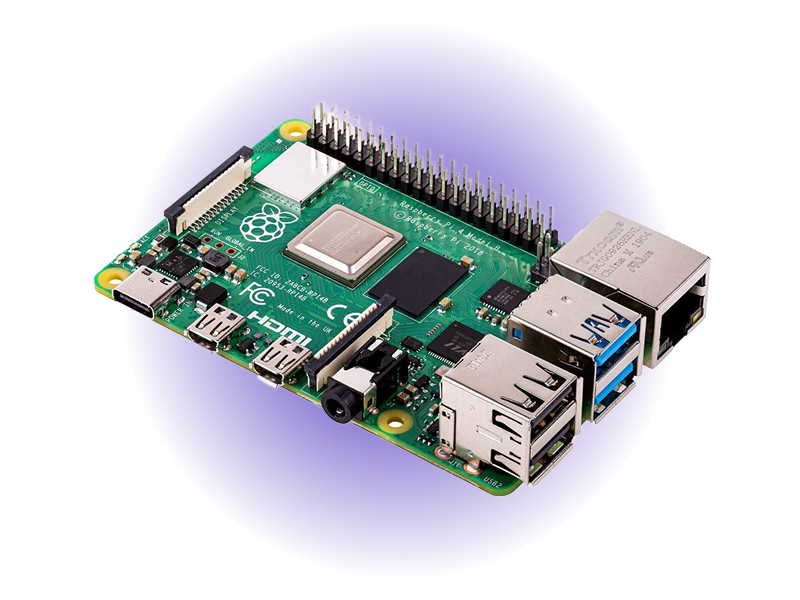
- 5x FasterTime to Production
- 80%Lower TCO
- $55Starting Cost
- 1.8 GHzQuad-core Cortex-A72
- Up to 8GBLPDDR4 Memory
- Dual 4K HDMIDisplay Output
Overview
Raspberry Pi 4 Model B, enhanced with Avocado Linux and Avocado Connect, bridges the gap between prototype and production deployment for edge computing and IoT applications. This integrated solution transforms the proven ARM Cortex-A72 quad-core platform into an enterprise-ready device with production-hardened Linux, atomic OTA updates, and centralized fleet management. By replacing the default Raspberry Pi OS with a Yocto-based, read-only root filesystem, teams eliminate common production issues like SD card corruption while gaining secure boot, remote diagnostics, and compliance features. Whether deploying industrial sensors, smart city infrastructure, or digital signage networks, the Pi 4's mature hardware platform with up to 8GB RAM, Gigabit Ethernet, and USB 3.0 provides the reliability and performance needed for production deployments while maintaining the $55 price point and vast ecosystem compatibility.
Specifications
| Specification | Value | Notes |
|---|---|---|
| Processor | 1.8GHz Quad-core ARM Cortex-A72 | 64-bit ARMv8 architecture, mature silicon |
| Memory | 2GB, 4GB, or 8GB LPDDR4 | LPDDR4-3200 SDRAM for reliable performance |
| Connectivity | Gigabit Ethernet, Wi-Fi 5, Bluetooth 5.0 | Dual-band 802.11ac, proven network stack |
| USB Ports | 2x USB 3.0, 2x USB 2.0 | High-speed peripherals and storage |
| Display | 2x micro HDMI ports (up to 4K@60Hz) | 4K@60Hz on single display or dual 4K@30Hz |
| Storage | eMMC, USB boot, microSD | USB boot recommended for production |
| Power | 5V/3A USB-C | 15W maximum power consumption |
| Operating Temp | 0°C to +50°C (ambient) | Passive cooling sufficient for most applications |
Use Cases
Industrial IoT Sensors
Environmental monitoring, predictive maintenance, and quality control with secure data collection and edge processing.
Smart City Infrastructure
Traffic monitoring, air quality sensors, and smart lighting with centralized management and real-time updates.
Digital Signage & Kiosks
Retail displays, information kiosks, and interactive installations with content management and remote monitoring.
Challenges and Solutions
| Challenge | Solution |
|---|---|
| Prototypes work great, production deployment fails | Production-hardened Linux OS |
| SD card corruption in industrial environments | Read-only root with atomic updates |
| No secure OTA update mechanism | Enterprise OTA orchestration |
| Manual fleet management doesn't scale | Centralized fleet management |
| Security vulnerabilities in default OS | Built-in security compliance |
Key Features
Production Hardening
Read-only root filesystem, secure boot, and A/B partitioning eliminate SD card corruption and failed updates.
Fleet-Scale OTA
Deploy updates to thousands of devices with phased rollouts, rollback capabilities, and real-time monitoring.
Zero-Trust Security
Code signing, device certificates, and encrypted communication secure your entire fleet from day one.
Rapid Development
Pre-built Yocto layers and containerized applications accelerate your time-to-market from months to weeks.
Cross-Platform Ready
Develop on Pi, deploy across ARM architectures. Reuse software stacks on industrial SoCs when you scale.
Fleet Intelligence
Real-time telemetry, remote diagnostics, and predictive maintenance keep your devices healthy and operational.
Getting Started
Init, Install, & Build
Follow the Any Supported Target instructions under Getting Started to begin. This target is raspberrypi4. The provisioning specifics are below.
Provision
Build the project and execute the provisioning procedure. This will build the system image and flash it to your target hardware.
If your Linux desktop auto-mounts removable media, disable it first — see Linux Auto-Mounting.
avocado build
avocado provision -r dev --profile sd
Run
After provisioning completes, insert the SD card into your target device and power it on.
The device will boot from the SD card with the provisioned system. The root user is passwordless in the dev runtime used by this guide.