RB3 Gen 2
Qualcomm's QCS6490 reference kit for robotics and edge AI, with Vision and Industrial mezzanines, production-ready with Avocado OS + Avocado Connect.
rb3gen2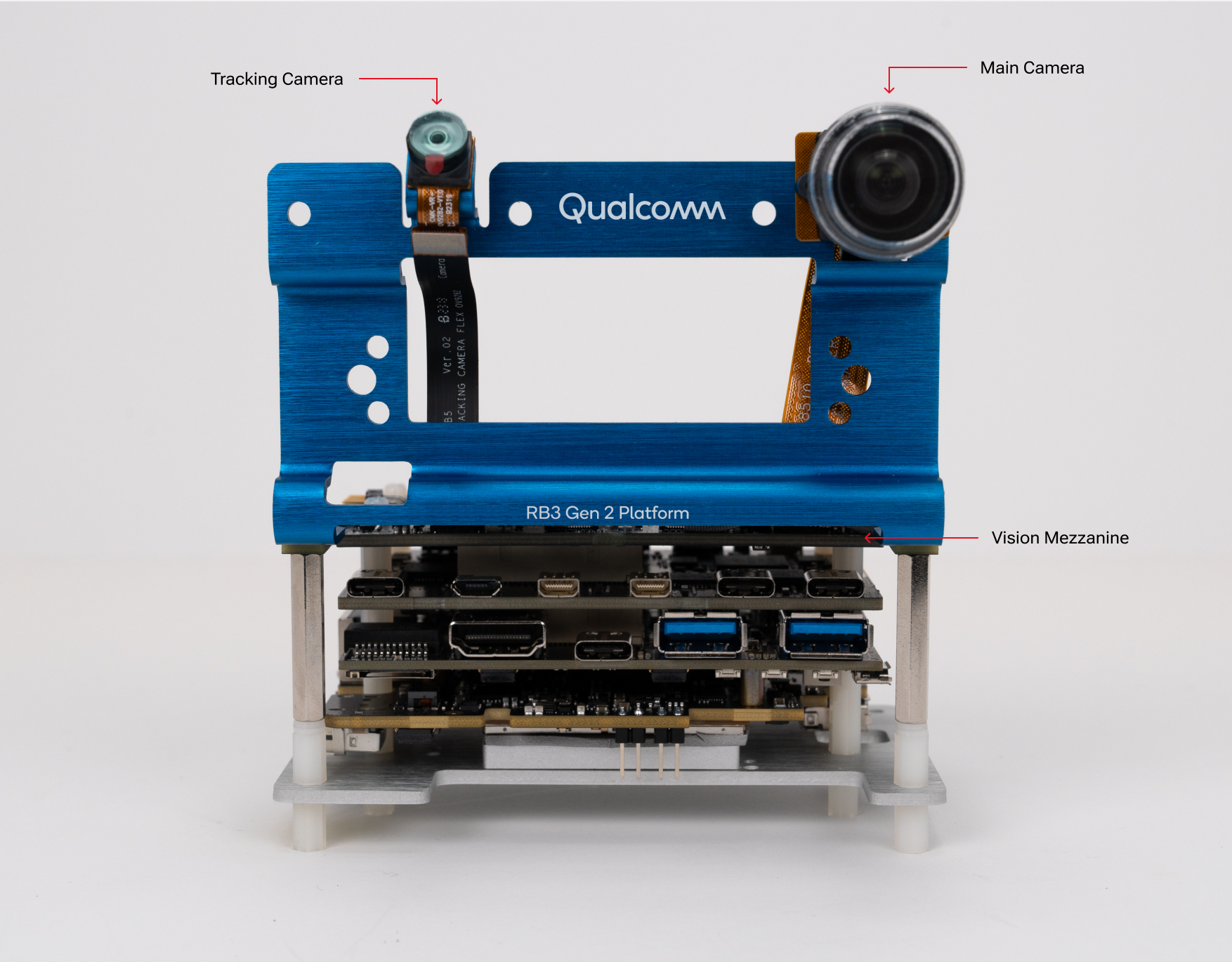
- 12 TOPSAI Performance
- QCS6490Octa-core Kryo 670 (6nm)
- 8GBLPDDR4x Memory
- 128GBUFS 2.2 Storage
- Wi-Fi 6EBluetooth 5.2
- PREEMPT_RTReal-time kernel + KVM
Photo: Qualcomm RB3 Gen 2 Vision Kit.
Overview
The Qualcomm RB3 Gen 2 is Qualcomm's own development kit for the QCS6490: a core board with the SoC, memory, storage and wireless, plus optional mezzanine boards that add the hardware for a use case. Qualcomm sells it as the Vision Kit (core kit plus the vision mezzanine and cameras) and the Industrial Kit (core kit plus the industrial mezzanine).
With Avocado OS the kit becomes a production target: an immutable, composable Linux base with secure OTA updates, rollback protection and fleet management through Avocado Connect. Each mezzanine is its own board support extension, so the same project targets the core kit or either mezzanine by naming the board.
Specifications
| Specification | Value | Notes |
|---|---|---|
| Processor | Qualcomm QCS6490, Kryo 670 octa-core | 6nm process, Cortex-A78 and Cortex-A55 cores |
| AI Performance | 12 TOPS | Hexagon Processor with fused AI-accelerator |
| GPU | Adreno 643 | |
| Memory | 8GB LPDDR4x | |
| Storage | 128GB UFS 2.2 | Provisioned over USB in EDL mode |
| Wireless | Wi-Fi 6E, Bluetooth 5.2 | |
| Mezzanines | Vision (cameras, ISP), Industrial (discrete TPM) | Selected per project by board name |
| OS Support | Avocado OS 2026 release | Stock and PREEMPT_RT kernels in the feed |
Kits and board names
One Avocado target, rb3gen2, backs every kit. The mezzanine is chosen by the board name, which selects the matching BSP extension; the mezzanine extensions depend on the core-kit extension, so naming a mezzanine pulls both in order.
| Kit | Board name | BSP extension | Adds | Status |
|---|---|---|---|---|
| Core kit, no mezzanine | rb3gen2 (default) | avocado-bsp-rb3gen2 | Base board support | Published, not yet validated on hardware |
| Vision Kit | rb3gen2-vision | avocado-bsp-rb3gen2-vision | Camera pipeline: the CAMSS ISP and the cameras as V4L2 devices | Validated on hardware |
| Industrial Kit | rb3gen2-industrial | avocado-bsp-rb3gen2-industrial | The mezzanine's discrete TPM | Published, not yet validated on hardware |
Set the board next to the target in avocado.yaml:
default_target: rb3gen2
default_target_board: rb3gen2-vision
AVOCADO_TARGET_BOARD=rb3gen2-vision in the environment or --target-board rb3gen2-vision on the command line does the same for one invocation; see Default target and board for the precedence rules. The mezzanine's device-tree overlay is built into the runtime image, so a core kit that was provisioned without a board can be moved to a mezzanine with an OTA update rather than a reflash.
On Avocado OS
- 2026 release feed. The target is published on the 2026 release,
nextchannel.avocado initwrites a 2024distro:block, so change it before the first install (see below). - Real-time and virtualization. The 2026 feed for this target carries both a stock and a PREEMPT_RT kernel; the project picks one with
kernel.version. KVM is available on the RT kernel when the board runs the KVM firmware configuration. - Camera pipeline. With the Vision Kit board selected, the ISP comes up and the kit's cameras appear as
/dev/video*devices.
Getting Started
Init, Install, & Build
Follow the Any Supported Target instructions under Getting Started to begin. This target is rb3gen2, available on the 2026 release feed. After avocado init --target rb3gen2, point the project at the 2026 feed and name your kit:
default_target: rb3gen2
default_target_board: rb3gen2-vision # or rb3gen2-industrial; omit for the core kit

distro:
  release: 2026
  channel: next
Then install and build as usual:
avocado install
avocado build
Provision
Provisioning flashes Avocado OS to the kit's onboard UFS storage over USB while the SoC is in Qualcomm EDL (Emergency Download) mode. Connect a USB-C data cable from the kit's USB-C port to your host and put the kit into EDL mode following Qualcomm's RB3 Gen 2 documentation. Confirm it before flashing:
lsusb
Look for a Qualcomm device with ID 05c6:9008. 05c6:900e is the SoC's dload/ramdump mode, where the board lands after a failed boot, not EDL; power-cycle the board into EDL again if you see it.
If the kit is already running Avocado OS, you don't need the hardware key combo — reboot it straight into forced download mode from the serial console or over SSH:
reboot edl
It re-enumerates on the host as 05c6:9008, ready to provision. This is also the quickest way to recover a kit that dropped to 05c6:900e: power-cycle it back to a booted state, then reboot edl.
Then provision the dev runtime with the ufs profile. The profile is required: it is what mounts the host's USB bus into the provisioning container.
avocado provision -r dev --profile ufs
Hypervisor selection (GPU/NPU vs. virtualization)
The QCS6490 boots one of two hypervisor configurations, chosen at provision time and written to the boot partitions. This is a hardware trade-off on this SoC — you get accelerators or guest virtual machines, not both:
AVOCADO_HYPERVISOR | /dev/kvm (guest VMs) | GPU / NPU (Adreno, Hexagon DSP) |
|---|---|---|
gunyah (default) | no | yes |
kvm | yes | no |
Under Gunyah, TrustZone performs Peripheral Authentication (PAS) and hands the
GPU and DSP their protected memory carveouts, so their firmware loads. Under
KVM, Linux owns EL2 and there is no Qualcomm secure-memory mediation, so PAS
rejects that firmware (error -22) and the GPU and DSP stay offline — but
/dev/kvm works for running guest VMs.
Gunyah is the precondition for the accelerators rather than the whole story:
/dev/dri and /dev/fastrpc also need the board support extension to ship the
GPU firmware and the FastRPC userspace.
The default is Gunyah. To provision the dev runtime from this guide for
virtualization instead, pass the environment variable through to the
provisioning process:
avocado provision -r dev --profile ufs --env AVOCADO_HYPERVISOR=kvm
Pass -r the runtime you are provisioning. The KVM ivshmem
example below defines a single rt-vms runtime rather than
dev, and needs /dev/kvm, so provision it with:
avocado provision -r rt-vms --profile ufs --env AVOCADO_HYPERVISOR=kvm
The selection is a boot-partition choice; it is independent of A/B OS updates (both slots share it) and only changes on a reflash or an explicit re-provision.
Run
Once provisioning completes, disconnect the USB-C data cable and power-cycle the kit. It boots Avocado OS from the onboard UFS storage. The root user is passwordless in the dev runtime used by this guide, and the avocado-ext-sshd-dev extension in the generated project brings up SSH.
Example project
KVM ivshmem zero-copy runs two KVM guests on the RB3 Gen 2's PREEMPT_RT kernel and passes data between them through shared host memory with no copies. It exercises the RT kernel selection, the mezzanine board flow and the EDL provisioning path described above, and is a working template for an extension-per-VM layout. Provision it with --env AVOCADO_HYPERVISOR=kvm (see Hypervisor selection) so /dev/kvm is available.