DGX Spark
A Grace Blackwell AI system on a desk. Run DGX Spark fleets on an immutable Linux with CUDA, ConnectX-7 RDMA, and atomic A/B updates.
arm64-uefi-v9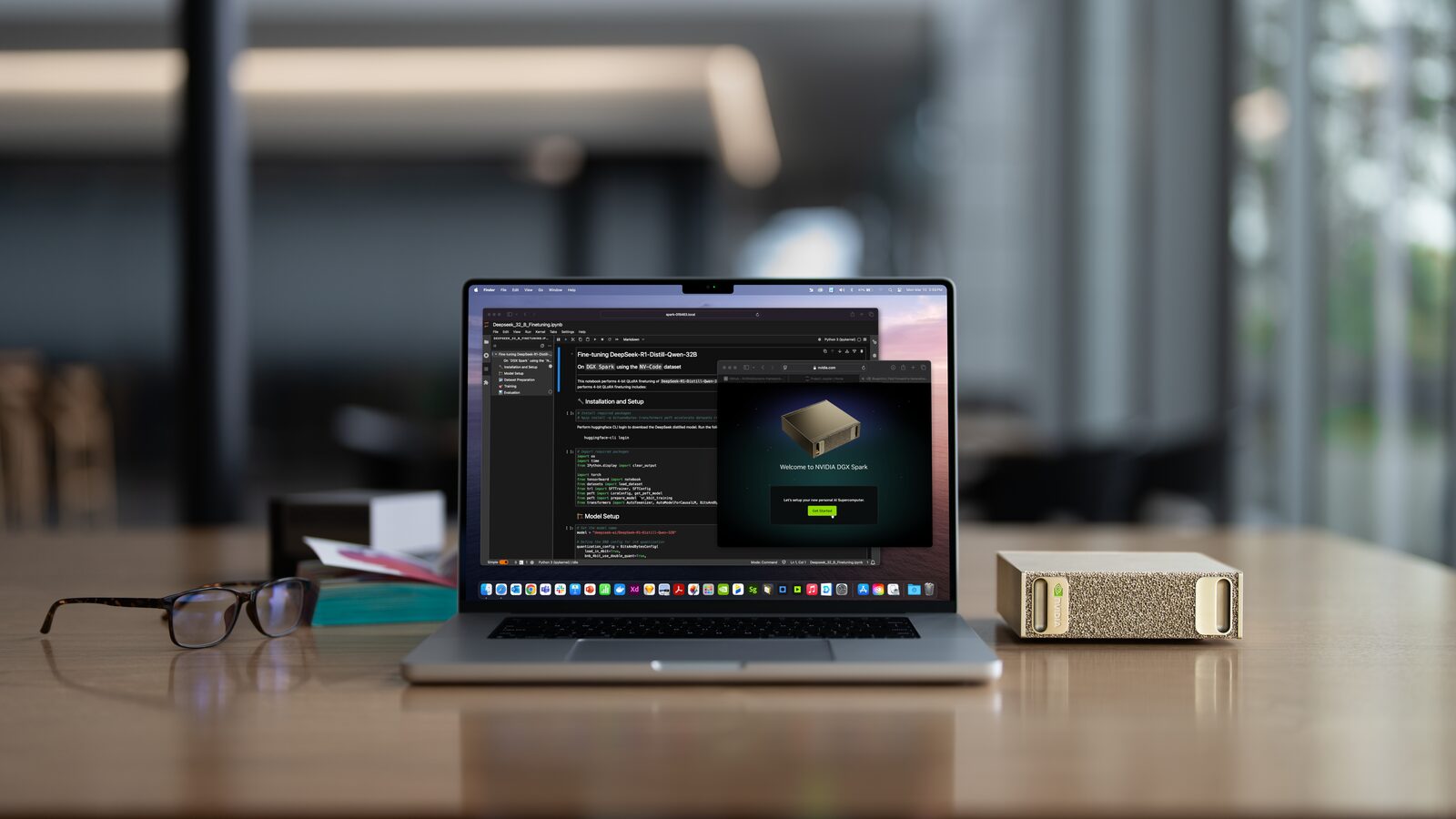
- 1 PFLOPFP4 AI Performance
- GB10Grace Blackwell Superchip
- 20-coreArm CPU
- 128GBUnified LPDDR5X
- ConnectX-7200 Gb/s Networking
- Armv9-AUEFI + ACPI
Overview
The NVIDIA DGX Spark is a compact AI system built on the GB10 Grace Blackwell Superchip: a 20-core Arm CPU and a Blackwell GPU sharing 128GB of coherent LPDDR5X, with ConnectX-7 networking for clustering two units. It boots standard UEFI with ACPI, like an Arm server, not the Jetson boot chain.
The DGX Spark has no build target of its own. Avocado OS builds the generic
arm64-uefi-v9 target, which serves Armv9-A UEFI systems in general, and the
avocado-bsp-dgx-spark extension adds everything specific to this board: the
GB10 GPU driver stack, ConnectX-7 RDMA, firmware for the onboard Ethernet,
Wi-Fi, and Bluetooth, and CPU performance tuning to match DGX OS.
Avocado OS support for the DGX Spark is in progress on the 2026 release.
Specifications
| Specification | Value | Notes |
|---|---|---|
| SoC | NVIDIA GB10 Grace Blackwell Superchip | |
| CPU | 20-core Arm: 10x Cortex-X925, 10x A725 | Built for Armv9-A (armv9a-crypto tune) |
| GPU | Blackwell, 5th-gen Tensor Cores | Up to 1 PFLOP FP4 (sparse) |
| Memory | 128GB LPDDR5X unified (273 GB/s) | Shared by CPU and GPU |
| Storage | NVMe M.2 | Up to 4TB |
| Networking | ConnectX-7 (2x QSFP), 10GbE RJ45 | RoCE and RDMA for multi-node workloads |
| Wireless | Wi-Fi 7, Bluetooth 5.4 | MediaTek MT7925 |
| I/O | 4x USB-C, HDMI 2.1a | One USB-C port is the power input |
| Boot | UEFI with ACPI | Secure Boot must be disabled (see below) |
What Avocado OS Supports
These functions are verified on DGX Spark hardware with the arm64-uefi-v9
target and the avocado-bsp-dgx-spark extension:
| Function | Status |
|---|---|
| GPU and CUDA | NVIDIA open kernel modules, nvidia-smi, and CUDA workloads run |
| ConnectX-7 | mlx5 Ethernet with RoCE and the RDMA stack |
| 10GbE Ethernet | RTL8127A on the in-tree r8169 driver |
| Wi-Fi and Bluetooth | MT7925, with regulatory database |
| HDMI audio | Display audio through the GB10 HDA controller |
| CPU performance | CPPC autonomous mode, matching DGX OS memory bandwidth |
| Thermal and fan | Fan speed reported through ACPI |
| Firmware updates | fwupd applies UEFI capsule updates from the running OS |
| OS updates | Atomic A/B updates with commit and automatic rollback |
Use Cases
Local Model Development and Fine-Tuning
128GB of unified memory holds models that don't fit on a desktop GPU. Run inference and fine-tuning on a reproducible, immutable OS instead of a hand-maintained workstation.
On-Premises Inference Appliance
Ship the DGX Spark as a managed appliance: the OS, the CUDA stack, and your model server update together over the air, with rollback if an update fails.
Two-Node Clusters
Link two units over ConnectX-7 for workloads larger than one Spark. The extension enables the RDMA stack and unlimited locked memory that NCCL and UCX need.
Other GB10 Systems
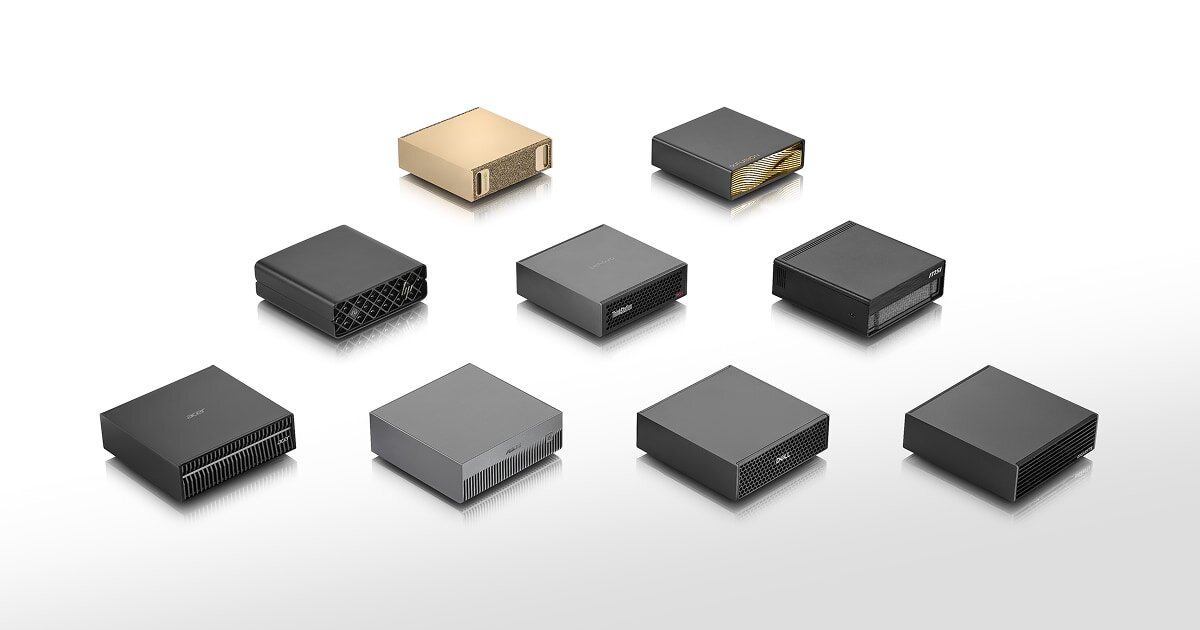
Acer, ASUS, Dell, GIGABYTE, HP, Lenovo, and MSI ship their own GB10 systems.
They share the GB10 platform and UEFI firmware design, so the arm64-uefi-v9
target and the avocado-bsp-dgx-spark extension are the starting point for
them too. Only the NVIDIA DGX Spark has been verified with Avocado OS so far.
Getting Started
Prepare the DGX Spark
Do these once per unit, before the first Avocado OS boot:
- Update the firmware from DGX OS. The factory firmware boots only DGX
OS. Boot the preinstalled DGX OS and run
sudo fwupdmgr refresh && sudo fwupdmgr update, then let it reboot to apply the updates. - Disable Secure Boot. Hold Esc or Del right after powering on to enter UEFI setup, disable Secure Boot, then save and exit. Use a keyboard plugged directly into a USB port on the Spark; some Bluetooth keyboards are not detected in UEFI setup.
Init, Install, & Build
Follow the Any Supported Target
instructions under Getting Started. The build target is arm64-uefi-v9; add
the DGX Spark extension to the runtime:
default_target: arm64-uefi-v9

extensions:
  avocado-bsp-dgx-spark:
    source:
      type: package
      version: '*'

runtimes:
  dev:
    extensions:
      - avocado-bsp-dgx-spark
avocado install
avocado build
Provision
Write the image to a USB drive:
avocado provision dev --profile usb
Run
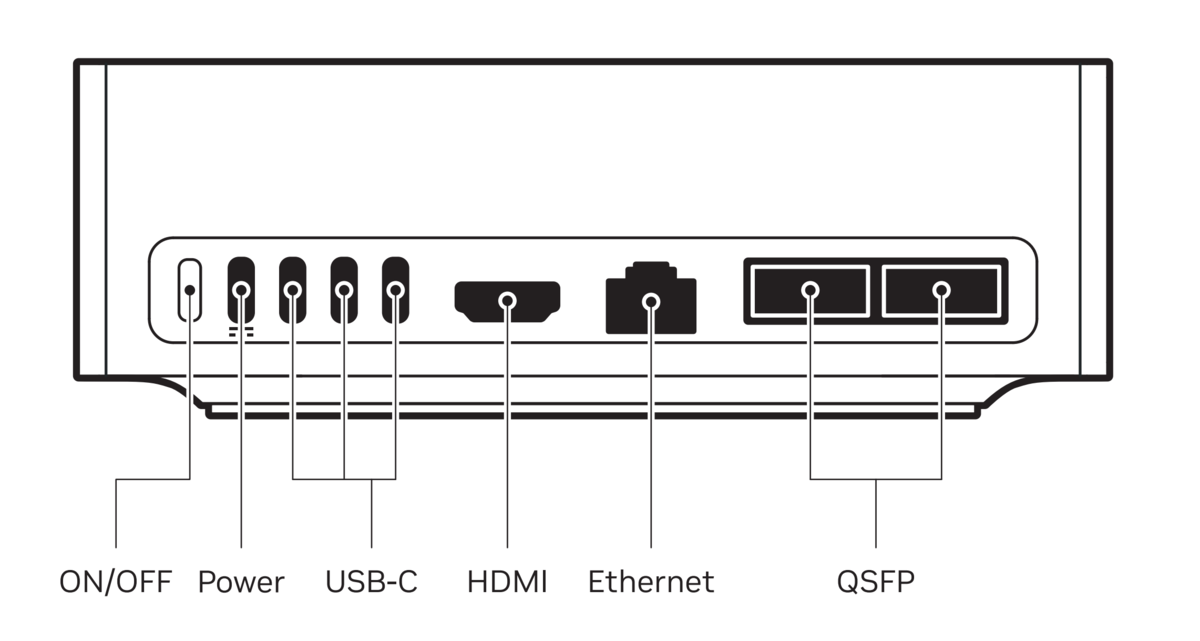
- With the Spark powered off, plug the USB drive into one of the USB-C ports on the rear panel, next to the power input. Plug it in before powering on: the firmware may not offer a drive that was plugged in after boot.
- Connect a display to HDMI and a USB keyboard, and connect Ethernet for network access. The 10 GbE RJ45 port gets an address over DHCP with no setup.
- Power on and hold Esc or Del to enter UEFI setup. Open the Save & Exit page, select the USB drive under Boot Override, and press Enter.
The Spark boots the provisioned system, with a login prompt on the HDMI
display. The root user is passwordless in the dev runtime used by this
guide. There is no serial console on the DGX Spark; use the display, or SSH in
once the device is on the network.
This guide boots Avocado OS from the USB drive and leaves DGX OS on the internal NVMe untouched. Installing Avocado OS to the internal NVMe is not yet documented. To return to DGX OS, remove the USB drive and reboot.